

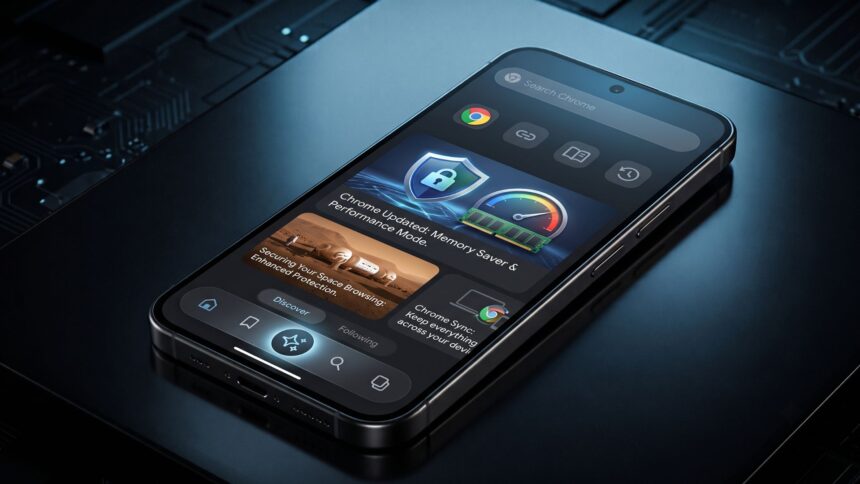
Chrome’s latest redesign puts core controls closer to your thumb while giving Gemini a much more prominent place inside the browser.
Google Chrome users on Android are beginning to see one of the browser’s most noticeable interface changes in years: a redesigned navigation system built around a persistent bottom toolbar.
The change is rolling out gradually, so two phones running similar Chrome versions may still look different. Reports in July and August 2026 show the new interface appearing broadly on Android, including Chrome 150 installations.
Chrome’s new design moves frequently used navigation controls into a bottom toolbar, improves one-handed browsing and creates space for deeper Gemini integration. The rollout is server-controlled, meaning availability varies even when users have the latest Chrome version installed on Android devices.
The Bottom Bar Is the Change You’ll Notice First
The redesigned Chrome interface separates navigation controls from the traditional address bar.
Depending on configuration and rollout status, users can see shortcuts for Home, tabs, browser actions and the three-dot menu positioned along the bottom of the screen. Earlier Canary testing showed Google experimenting with several bottom-bar layouts before the design began reaching stable users.
This is different from Chrome’s existing option to move the entire address bar downward. Google introduced that Android option earlier, primarily to make large phones easier to operate with one hand.
The newer interface can keep the Omnibox at the top while placing navigation controls below the webpage.
Gemini Is Becoming Part of Chrome’s Core Navigation
The bigger story is not simply button placement.
Google is testing and rolling out a dedicated Gemini shortcut inside Chrome’s redesigned Android navigation bar. In supported configurations, the Gemini button sits between key browser controls and can work with information from multiple open tabs rather than only the webpage currently visible.
Gemini in Chrome can already perform tasks such as summarizing pages, explaining information, comparing content across tabs and handling multi-step actions on supported accounts.
That makes Chrome increasingly different from the traditional browser model: Google is turning AI assistance into a native browsing function rather than a separate website users must open.
Chrome New Design: Quick Breakdown
| Change | What It Means |
|---|---|
| Bottom navigation | Important controls become easier to reach |
| Gemini shortcut | AI can be launched directly while browsing |
| Multi-tab context | Gemini can compare information across selected tabs |
| Gradual rollout | Some users may still see the previous interface |
Chrome 151 Is Arriving Alongside the Visual Shift
Google also began an early stable rollout of Chrome 151 for Windows and macOS on July 22, 2026, starting with a limited percentage of users.
Chrome 151 includes developer-facing changes covering accessibility, CSS, privacy and security. It also drops official update support for macOS 12; Chrome 150 is the final release supporting that operating system.
The important distinction is that Chrome’s Android redesign is not simply a “Chrome 151 design.” Much of the mobile UI rollout is being enabled independently, which explains why users can suddenly receive the new layout without noticing a major Play Store update.
Why Some Chrome Users Suddenly Think Something Is Broken
The rollout has generated confusion because familiar buttons appear in different positions.
Chrome Community posts and user reports in early August describe people searching for missing tab controls before discovering that they had simply moved to the bottom toolbar.
For Google, the benefit is thumb-friendly navigation and a permanent surface for future browser features. For users accustomed to years of top-mounted controls, however, the extra toolbar can initially feel like it reduces webpage space.
Why did my Chrome toolbar move to the bottom?
Chrome’s bottom toolbar is a new Android interface being rolled out gradually by Google. It relocates major browser controls for easier one-handed access. Because the change can be enabled server-side, it may appear suddenly even without an obvious Chrome update.
Is Gemini included in the new Chrome design?
Gemini is Google’s AI assistant being integrated more deeply into Chrome. Supported Android users can receive a Gemini shortcut within the redesigned navigation interface, allowing them to ask questions about webpages and potentially work across multiple selected browser tabs.
Can I change Chrome back to the old design?
Chrome’s interface options vary by rollout and version. Experimental flags have temporarily allowed some Android users to disable the new bottom bar, but Chrome flags are unsupported experimental controls and can disappear. Google has not guaranteed a permanent classic-layout option.
Chrome Is Becoming More Than a Browser
The redesigned toolbar may look like a small UI adjustment, but it signals Google’s larger direction: browsing, searching and Gemini assistance are increasingly being merged into one interface.
The real Chrome update is therefore not where Google moved the buttons—it is how central AI is becoming to the way Google expects people to use the web.
Disclaimer: Features, rollout availability and experimental interface elements can vary by device, account, region and Chrome version. Unconfirmed estimates or testing details may change before universal release.